Level 0 — The Machine
"Before you orchestrate the machine, you must understand its nature — otherwise, you are not an architect, you are a passenger."
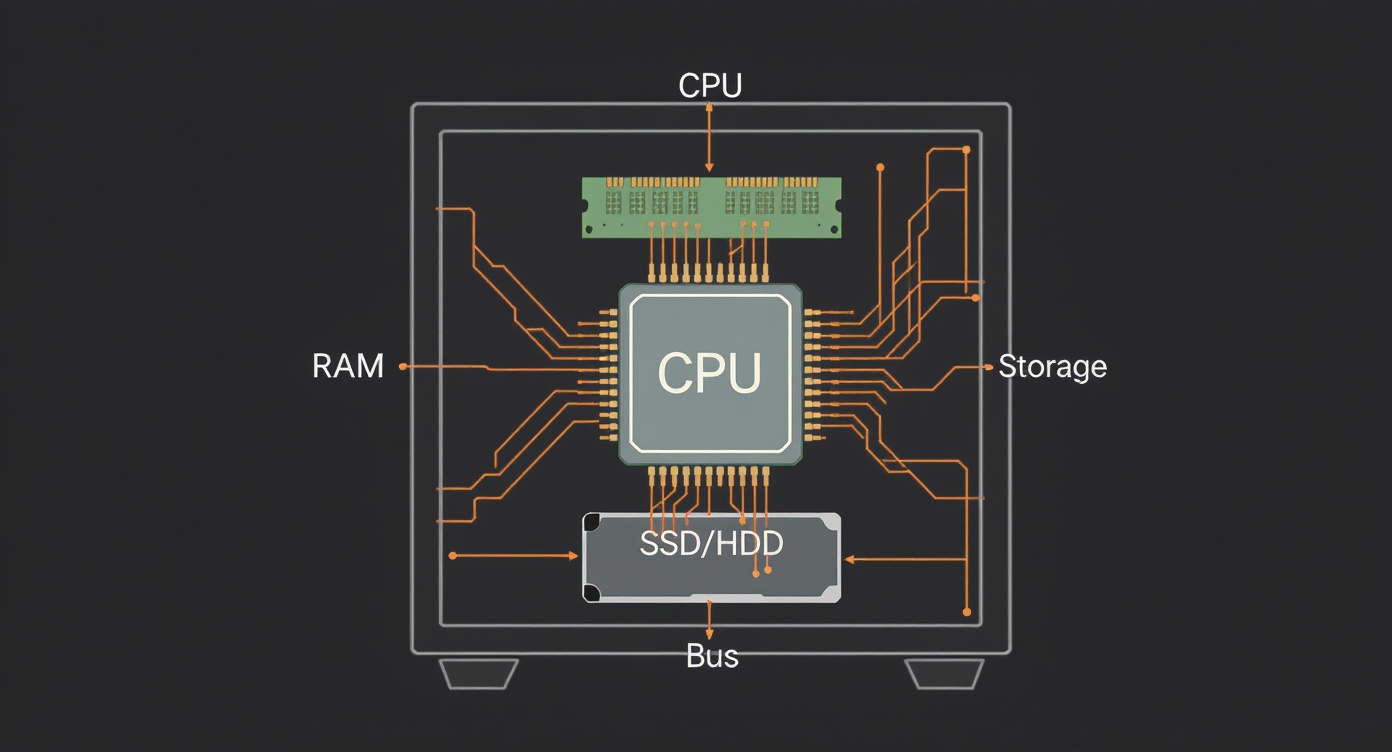
Everything starts here. Before we talk about artificial intelligence, agents, APIs, or semantic architecture, there is a physical reality that underpins it all: the machine. A computer is, at its core, a collection of extremely fast switches organized in ingenious ways. This level will take that machine apart piece by piece, so you understand — without needing to write code — what actually happens when an AI system processes your instruction.
Think of this level as anatomy for a doctor. A surgeon operates with a scalpel and precision, but before any surgery came the study of every bone, every muscle, every nerve. The SSA operates with language and meaning, but needs to know every layer of the machine that will execute that meaning.
1. Bit — The fundamental unit
All of modern computing reduces to a single distinction: on or off. This minimal distinction is the bit — the smallest unit of information that exists.
Analogy: the light switch
Imagine a light switch on a wall. It has only two possible states: on or off. Lit or dark. Yes or no. In computational terms, these two states are represented by the numbers 0 and 1.
A single bit doesn't seem very useful — it can only represent two things. But the genius of computing lies in combination. If you have two switches, you can represent four different states (00, 01, 10, 11). With three, eight states. Each additional switch doubles the number of possible combinations.
Why everything reduces to this
The reason is physical, not philosophical. Electronic circuits are most reliable when they operate in only two states — current flows or it doesn't, voltage high or voltage low. Trying to distinguish between ten voltage levels (as we would in the decimal system) would introduce far more room for error. The binary system is, therefore, an engineering choice: the most robust way to represent information in silicon.
Every photo you see, every song you hear, every text an AI generates — at the bottom, at the most basic layer, everything is sequences of 0s and 1s. Billions of them, organized in specific ways.
2. Byte — The grouping that creates meaning
If the bit is a single switch, the byte is a set of 8 switches side by side. With 8 bits, we have 256 possible combinations (2 to the power of 8) — enough to represent, for example, all the letters of the Latin alphabet (uppercase and lowercase), numbers, punctuation marks, and various special characters.
Analogy: a letter
Think of the byte as a single letter written on a page. On its own, a letter doesn't say much. But when you put several letters together, they form words. Words form sentences. Sentences form paragraphs. In the same way, combined bytes form data — text, images, sounds, videos.
Scales of measurement
Because we work with enormous volumes of bytes, we use prefixes to make things easier:
| Unit | Abbreviation | Equivalence | Everyday analogy |
|---|---|---|---|
| Kilobyte | KB | ~1,000 bytes | A short paragraph of text |
| Megabyte | MB | ~1 million bytes | A high-resolution photo |
| Gigabyte | GB | ~1 billion bytes | An HD movie |
| Terabyte | TB | ~1 trillion bytes | An entire library digitized |
| Petabyte | PB | ~1 quadrillion bytes | All of Netflix's content |
When you hear that an AI model has "70 billion parameters," each parameter takes up bytes in memory. Knowing this scale is what allows the semantic architect to understand why running certain models requires specific machines.
3. Binary system — How the computer counts
We humans count in base 10 (decimal system) — probably because we have 10 fingers. We use ten symbols: 0, 1, 2, 3, 4, 5, 6, 7, 8, 9. When we reach 9, we "reset" and add 1 to the next place: 10.
The computer counts in base 2 (binary system). It uses only two symbols: 0 and 1. When it reaches 1, it resets and adds 1 to the next place: 10 (which in binary equals 2 in decimal).
Conversion table
| Decimal | Binary | How to think about it |
|---|---|---|
| 0 | 0000 | All switches off |
| 1 | 0001 | Only the last one on |
| 2 | 0010 | Only the second-to-last on |
| 3 | 0011 | The last two on |
| 4 | 0100 | Only the second one on |
| 5 | 0101 | Second and last on |
| 7 | 0111 | Last three on |
| 8 | 1000 | Only the first one on |
| 10 | 1010 | First and third on |
| 15 | 1111 | All on |
| 255 | 11111111 | All 8 bits on — the largest value of a byte |
You don't need to do conversions in your head. The important thing is to understand the principle: any number, letter, color, sound, or instruction can be encoded as a sequence of 0s and 1s. It is the machine's universal language.
4. CPU (Central Processing Unit) — The brain of the machine
The CPU is the component that actually does things. It is where instructions are read, interpreted, and executed. If the computer were a restaurant, the CPU would be the head chef: it receives the orders, interprets the recipes, and executes each step.
What the CPU actually does
The CPU's work boils down to three steps that repeat billions of times per second:
- Fetch — Go to memory and get the next instruction to be executed. Like the chef looking at the next order on the counter.
- Decode — Interpret what the instruction means. The chef reads the order and understands it's a "shrimp risotto."
- Execute — Perform the operation: a calculation, a comparison, a data movement. The chef cooks the dish.
This cycle — fetch, decode, execute — is the heartbeat of all processing. Every mouse click, every word generated by an AI, every frame of video goes through this cycle.
Cores: more chefs in the kitchen
A modern processor doesn't have just one chef — it has several. Each core is an independent processor inside the CPU, capable of running its own fetch-decode-execute cycle. A processor with 8 cores is like a kitchen with 8 chefs: it can prepare 8 dishes at the same time.
This is essential for AI: training a large model requires massive parallel processing — many "chefs" working simultaneously on different parts of the problem.
Clock speed: how fast each chef works
The CPU's speed is measured in GHz (gigahertz), which indicates how many billions of cycles per second the processor can complete. We'll return to this topic in section 10.
5. RAM (Random Access Memory) — Short-term memory
RAM is where the computer keeps the information it is working with right now. It is extremely fast, but volatile — when the computer is turned off, everything in RAM disappears.
Analogy: the desk
Imagine you are working on a project. Your desk is the RAM. On it, you spread out the documents you need to consult right now: the open report, the calculator, your notes. Everything is there, within arm's reach, for quick access.
The cabinet in the corner of the room is storage (disk). It holds everything — including old projects — but you need to get up, open the drawer, and search. It's slower.
Why this matters for AI
When a language model is processing your question, the input text, the model's parameters, and all intermediate calculations need to fit in RAM (or in GPU memory, which follows the same principle). If the model is too large for the available memory, it simply doesn't work — or it works with tricks that make it slower.
A computer with 8 GB of RAM is like a small desk: fine for simple tasks. A server with 512 GB of RAM is like an entire hall: it can keep enormous models "open" and ready for use. When the semantic architect specifies a system with multiple agents running simultaneously, they need to have a sense of how much "desk space" each agent requires.
6. Storage — Long-term memory
If RAM is the desk, storage is the permanent archive. It is where all data that needs to survive a shutdown lives: your files, photos, installed programs, databases, saved AI models.
HDD vs SSD
There are two main types:
HDD (Hard Disk Drive) — the traditional hard disk. It works with a magnetic disk spinning physically while a needle reads and writes data. It's like a vinyl record player: the needle must physically move to the right spot to play the music. The consequence: it's slower, but historically cheaper for large amounts of data.
SSD (Solid State Drive) — solid-state storage. It has no moving parts. It uses memory chips, similar to RAM, to store data permanently. It's like a well-organized bookshelf: you go straight to the shelf and grab what you need, with no mechanical parts in the way. The consequence: it's much faster, more resistant to impacts, and has become increasingly affordable.
Why this matters
AI models are enormous files. GPT-3, for example, takes up about 350 GB on disk. Training datasets can easily reach terabytes. The speed and capacity of storage determine how quickly a system can load a model into memory and start working. The cost of cloud storage is also a variable the semantic architect needs to consider when designing systems that handle large volumes of data.
7. Operating System (OS) — The general manager
The operating system is the software that manages all of the computer's resources. Windows, macOS, and Linux are the most well-known. Without it, the hardware would be a useless collection of parts — like a hotel without a manager.
Analogy: the hotel manager
Imagine a luxury hotel. The guests (programs) want to use rooms (memory), order room service (disk access), use the pool (graphics card), make calls (network). Without a manager coordinating everything, it would be chaos: two guests in the same room, the kitchen not knowing who ordered what, the pool overcrowded with no control.
The operating system is that manager. It:
- Allocates memory — decides how much RAM each program can use, and ensures one doesn't invade the other's space.
- Manages processes — decides which program runs now, which waits, which can use the CPU.
- Controls hardware access — when a program wants to save a file, the OS translates that into operations on the disk.
- Provides the interface — whether the graphical interface (windows, icons) or the command line, the OS creates the layer the user interacts with.
For the SSA, the practical distinction between operating systems appears when specifying execution environments. Many AI systems run on Linux servers — knowing this is not technical trivia, it is architectural information about where the system will live.
8. Process and Thread — What happens when you run a program
When you open a program — a browser, a text editor, an AI — the operating system creates a process: an isolated instance of that program in execution, with its own reserved portion of memory.
Analogy: following a recipe
A program is like a recipe written in a book. It exists on paper, but it isn't doing anything. When someone decides to follow it, gathers the ingredients, turns on the stove, and starts cooking — that is the process. It is the recipe in execution.
Threads: multiple cooks on the same recipe
Within the same process, there can be multiple threads — simultaneous lines of execution that share the same memory. If the process is "prepare a full dinner," one thread could be cooking the rice, another making the sauce, another chopping the salad — all part of the same dinner, using the same kitchen.
The fundamental difference:
- Processes are isolated from each other. Each has its own memory space. Like two separate kitchens in a restaurant.
- Threads share the same space. They are lighter, faster to create, but require coordination — if two threads try to modify the same data at the same time, problems arise (like two cooks trying to season the same dish simultaneously).
Why this matters
When the SSA designs a system with multiple AI agents, each agent may be a separate process or a thread within a larger process. This architectural decision affects performance, memory consumption, and system complexity. Knowing that these concepts exist allows the semantic architect to discuss real trade-offs with engineers, without getting lost in abstraction.
9. Input/Output (I/O) — Communication with the world
A powerful processor, abundant memory, and vast storage are useless if the machine cannot receive information and return results. That's where I/O comes in — Input and Output.
Input: what enters the machine
- Keyboard — each key pressed generates an electrical signal that becomes a binary code (the byte of the corresponding letter).
- Mouse — sends position coordinates and clicks.
- Microphone — converts sound waves into digital data.
- Camera — converts light into pixels, and pixels into bytes.
- Network — data coming from the internet (an API request, a chat message) is input.
- Sensors — in IoT devices, temperature, humidity, motion — everything becomes digital input.
Output: what leaves the machine
- Screen/Monitor — transforms data into visible pixels.
- Speaker — transforms data into sound waves.
- Printer — transforms data into ink on paper.
- Network — an API response, the text generated by an AI, everything sent over the internet is output.
The I/O bottleneck
A critical aspect: I/O operations are almost always slower than internal CPU or RAM operations. Reading data from disk, sending data over the network, waiting for the user to type — all of this is orders of magnitude slower than a calculation in the processor.
This creates an important phenomenon: many systems spend more time waiting for data than processing data. An AI system that depends on fetching information from external databases (as in the RAG pattern) will have its performance limited by the speed of that retrieval — not by the speed of the model. The semantic architect needs to know that I/O is frequently the real bottleneck.
10. Clock and processing speed — The rhythm of the machine
The clock is the CPU's tempo keeper — like a metronome for a musician. At each "tick" of the clock, the processor can execute one step of an instruction. Clock speed is measured in GHz (gigahertz): 1 GHz means 1 billion ticks per second.
A 3.5 GHz processor completes 3.5 billion cycles per second. That sounds absurdly fast — and it is. But there is an important conceptual trap.
Why more GHz doesn't always mean faster
If clock speed were everything, we would just increase it infinitely. But there are physical and architectural limits:
Heat — The faster the clock, the more energy the processor consumes and the more heat it generates. There is a point at which the chip would simply melt. This thermal barrier is real and is one of the greatest challenges in processor engineering.
Instructions per cycle (IPC) — Not all CPUs do the same amount of work per cycle. A processor at 3 GHz that executes more work per cycle can be faster than another at 4 GHz that does less per cycle. It's like comparing two chefs: one takes 3 steps per minute but each step is complex; the other takes 4 steps per minute but each step is simple. Who finishes the dish first depends on the efficiency of each step, not just the speed.
Parallelism — Often, having more cores running at moderate speeds is more effective than having a single ultra-fast core. For AI, this is especially true: model training depends massively on parallel processing. That is why GPUs (graphics processors, with thousands of simple cores) became the foundation of deep learning — not because they are individually fast, but because they are massively parallel.
Memory — If the CPU is fast but the memory is slow, the processor sits idle waiting for data to arrive. It's like an extremely fast chef whose kitchen has a pantry accessible only through a narrow hallway. The chef's speed doesn't matter if the ingredients take forever to arrive.
The lesson for the SSA
When someone says "we need a more powerful server to run this model," the informed semantic architect knows that "more powerful" can mean different things: more RAM, more GPU cores, faster storage, or a network with lower latency. The correct solution depends on where the real bottleneck is — and identifying bottlenecks is an architectural skill, not a programming one.
Why the SSA needs to know this
The Semantic Systems Architect doesn't program. Doesn't compile. Doesn't debug code. But they design systems that will be executed by real machines, with real limitations. And every limitation of the machine is a constraint that affects the system's design.
Consider the decisions the SSA makes on a daily basis:
-
"Which AI model should we use?" — The answer depends on how much RAM and GPU are available. A 70-billion-parameter model requires hundreds of gigabytes of memory. If the budget or infrastructure can't support it, the architect needs to know why and propose viable alternatives.
-
"How many agents can run at the same time?" — Each agent is a process or thread consuming CPU and memory. The architect who understands processes and threads knows to ask: "Are these agents independent, or do they share state?"
-
"Why is the system slow?" — It could be insufficient CPU, full memory, slow I/O, or simply the fact that disk storage is orders of magnitude slower than RAM. The architect who understands these layers doesn't guess — they investigate with precision.
-
"How much will it cost to run this in production?" — Cloud computing charges for CPU, memory, storage, and network traffic. Each of these is a concept you learned in this level. The semantic architect who masters this vocabulary can read a server bill and understand where the cost lies — and how to reduce it.
The machine is not the SSA's goal. But it is the medium. And whoever doesn't understand the medium doesn't control the outcome.
Level 0 Glossary
| Term | Quick definition |
|---|---|
| Bit | The smallest unit of information. Represents 0 or 1. |
| Byte | A set of 8 bits. Represents a character or a value from 0 to 255. |
| Binary system | Base-2 number system, using only 0 and 1. The computer's "native language." |
| CPU | Central Processing Unit. Executes instructions in the fetch-decode-execute cycle. |
| Core | An independent processor inside the CPU. More cores enable parallel processing. |
| Clock / GHz | Processor frequency. Indicates how many billions of cycles per second the CPU performs. |
| RAM | Random Access Memory. Fast, volatile, used for data in immediate use. |
| HDD | Mechanical hard disk. Permanent storage, slower, with moving parts. |
| SSD | Solid-state storage. Permanent, fast, no moving parts. |
| Operating System | Software that manages hardware and resources (Windows, macOS, Linux). |
| Process | A running instance of a program, with its own memory. |
| Thread | A line of execution within a process. Threads share memory. |
| Input | Data entering the computer (keyboard, network, sensors). |
| Output | Data leaving the computer (screen, network, speaker). |
| I/O | Input/Output. Communication between the computer and the outside world. |
| GPU | Graphics processor. Thousands of simple cores, ideal for parallel processing and AI. |
| Volatile | A type of memory that loses its data when power is cut (e.g., RAM). |
| IPC | Instructions per cycle. Measures the efficiency of each clock cycle. |
| KB, MB, GB, TB, PB | Data measurement scales: Kilobyte, Megabyte, Gigabyte, Terabyte, Petabyte. |