Level 1 — Code: the language of the machine
"Code was the first language humans invented to talk to machines. It's not the most natural — but it's the most revealing about how machines think."
In Level 0, you understood what the machine is: bits, bytes, processor, memory. Now we're going to understand what it does — and how humans learned to tell it what to do.
Code is a set of instructions written in a language that the computer can interpret and execute. It's the bridge between human intention and machine action. Before LLMs, this bridge was the only way to communicate with a computer. Today, it's no longer the only one — but it remains the way everything, at its core, actually happens.
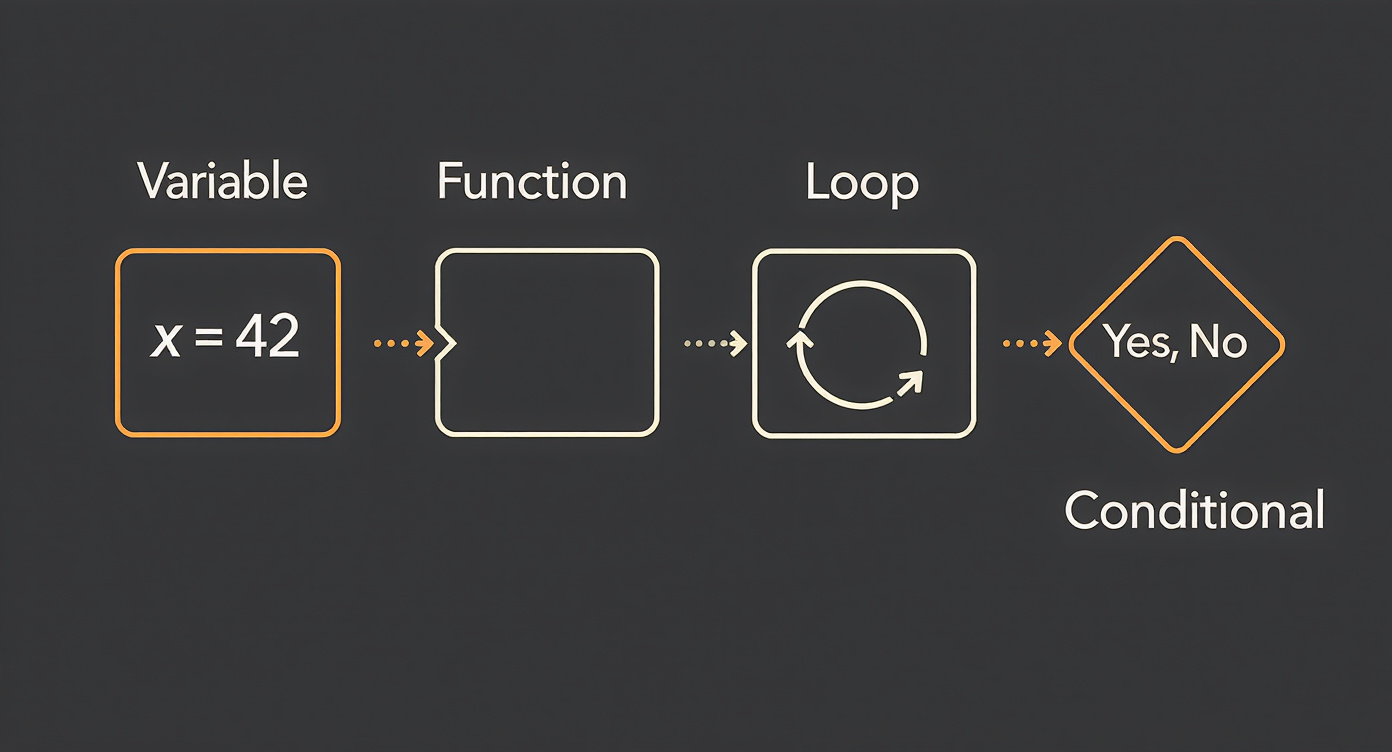
The SSA doesn't need to write code. But they need to deeply understand what code is made of, because every concept here — variable, conditional, function, loop — is a building block that the AI will generate when the semantic architect specifies a system.
Let's get into it.
1. Variable
What it is
A variable is a name that points to a value stored in memory. It's how the program "remembers" things. Every piece of information the program manipulates — a customer's name, the total of a purchase, whether a payment was approved — needs to be stored somewhere. The variable is that place, with a label.
Analogy: the labeled jar in the kitchen
Imagine an organized kitchen. You have glass jars on the shelf, each with a label: "Flour", "Sugar", "Salt". The jar is the space in memory. The label is the variable name. The contents are the value.
You can swap out the contents of the jar (put brown sugar where refined sugar used to be), but the label still says "Sugar." In the same way, a variable can change its value over the course of a program.
Three properties of a variable
- Name — the label. E.g.:
customerName,totalPurchase,isApproved. - Value — what's inside. E.g.:
"Maria",349.90,true. - Scope — where this variable exists. Some variables exist throughout the entire program (like a jar in the main kitchen). Others exist only inside a specific function (like a jar that only exists within a recipe and then disappears).
Pseudocode
customerName <- "Maria"
totalPurchase <- 349.90
isApproved <- true
Read it like this: "the variable customerName receives the value Maria."
2. Data types
What they are
Not all data is the same. The number 42 is different from the text "42". The value true is different from the text "true". The computer needs to know what kind of information it's dealing with to know what it can do with it. You can add two numbers, but you can't add two names.
Analogy: different containers for different contents
Think of it this way:
- Text (string) — it's like a letter. It contains words, phrases, characters. You can read it, cut it, join it. But you can't do math with a letter. E.g.:
"John Smith","42 Oak Street". - Number (number) — it's like a calculator. It contains numerical values. You can add, subtract, multiply, compare. E.g.:
1500,3.14,-20. - Boolean (boolean) — it's like a light switch. It has only two states: on or off, true or false. E.g.:
true,false. It seems simple, but almost every decision in code depends on a boolean. - Null (null/undefined) — it's like an empty jar. The variable exists, but there's nothing inside. Or worse: the variable doesn't exist yet. The difference between
null(empty on purpose) andundefined(never defined) is subtle but important.
Why it matters
When the SSA defines a domain ontology — say, the data model for an e-commerce platform — they are implicitly defining types. The field customerName is text. The field totalPurchase is a number. The field orderDelivered is a boolean. Each type choice has consequences for how the system will behave.
3. Operators
What they are
Operators are the verbs of the language of code. If variables are nouns (things that exist), operators are actions you perform on those things: add, compare, combine.
Three families of operators
Arithmetic — they do math:
+addition,-subtraction,*multiplication,/division- E.g.:
finalPrice <- basePrice * 1.10(price with a 10% markup)
Comparison — they compare two values and return true or false:
==equal to,!=not equal to,<less than,>greater than- E.g.:
age > 18returns true if the age is greater than 18
Logical — they combine boolean conditions:
AND— both must be true. E.g.:age > 18 AND hasLicense == trueOR— only one needs to be true. E.g.:isManager OR isDirectorNOT— inverts the value. E.g.:NOT isBlocked
Pseudocode
discount <- originalPrice * 0.20
eligibleCustomer <- age >= 18 AND activeRegistration == true
Operators are simple individually, but combined they form the entire logic of a system.
4. Conditional (if/else)
What it is
The conditional is the decision-making mechanism of code. It's the point where the program looks at a situation and chooses what to do. Without conditionals, the program would always do the same thing, blindly. With conditionals, it adapts.
Analogy: road signs and forks in the road
Imagine you're driving and you reach a fork. The sign says: "If destination = Downtown, turn left. Otherwise, continue straight." That's an if/else.
The computer does the same thing millions of times per second. Every if is a fork. Every else is the alternative path. Complex programs are, at their core, massive trees of decisions.
Pseudocode
IF totalPurchase > 500 THEN
    applyDiscount(10%)
ELSE IF totalPurchase > 200 THEN
    applyDiscount(5%)
ELSE
    noDiscount()
END
Read it like this: "If the purchase exceeded 500, give a 10% discount. If not but it exceeded 200, give 5%. Otherwise, no discount."
Why it's fundamental
Every business rule translates into conditionals. "VIP customers don't pay for shipping" is an IF customerVIP THEN shipping <- 0. "Orders above $1,000 require managerial approval" is an IF orderValue > 1000 THEN requireApproval(). When the SSA defines business rules, they are defining conditionals — even without knowing it.
5. Loop (for, while)
What it is
A loop is an instruction that tells the computer: repeat this. It could be "repeat 10 times," "repeat for each item in the list," or "repeat as long as the condition is true." Loops are the reason computers are extraordinarily useful: they do repetitive things without getting tired, without making mistakes, without complaining.
Analogy: the assembly line
A factory has a conveyor belt where each product goes through the same steps: inspection, painting, packaging. It doesn't matter if there are 10 or 10 million units — the process is the same for each one. That's a loop.
The computer does the same: it takes a list of data and applies the same operation to each item. Send an email to each customer. Calculate the tax on each product. Check each transaction for fraud.
Two main types
For each — repeats for each item in a collection:
FOR EACH customer IN customerList
    sendPromotionalEmail(customer)
END
While — repeats as long as a condition is true:
WHILE availableBalance > 0
    processNextPayment()
END
Why computers dominate repetition
A human can send 50 emails a day before getting tired. A computer sends 50 million without pausing. The difference isn't one of degree — it's one of nature. Loops transform a single instruction into an operation at scale. Almost everything that seems like "magic" in technology — processing millions of transactions, analyzing terabytes of data, training an AI model — is, at its core, a very well-written loop running very fast.
6. Function
What it is
A function is a reusable block of instructions with a name. You define it once, and then you can "call" it as many times as you want, from anywhere in the program. Functions receive parameters (input information) and return a result (output information).
Analogy: the recipe card
Imagine a recipe card in the kitchen. The card says: "Recipe: White Sauce. Ingredients: butter, flour, milk. Instructions: (step by step). Result: 500ml of white sauce."
You don't rewrite the recipe every time you need white sauce. You just grab the card and follow it. If you need sauce for lasagna and for a casserole, you use the same card twice. That's a function.
Pseudocode
FUNCTION calculateDiscount(price, percentage)
    discountAmount <- price * (percentage / 100)
    finalPrice <- price - discountAmount
    RETURN finalPrice
END

// Using the function:
discountedPrice <- calculateDiscount(200, 15)
// Result: 170
Parameters and return
- Parameters are the "ingredients" — what you provide for the function to work with. In the example:
priceandpercentage. - Return is the "finished dish" — what the function delivers back. In the example:
finalPrice.
Why functions are the heart of code
Without functions, code would be a monolithic sequence of instructions — impossible to organize, read, or maintain. Functions are how programmers create abstractions: they hide complexity behind a clear name. You don't need to know how sendEmail() works internally. You just need to know that, if you call it, the email will be sent.
7. Array (list)
What it is
An array is an ordered collection of values. Instead of creating a separate variable for each item, you group them all into a list. Each item has a position (called an index), and the count starts from zero — not one.
Analogy: the numbered guest list
Imagine the guest list for an event:
| Position | Guest |
|---|---|
| 0 | Ana |
| 1 | Bruno |
| 2 | Carla |
| 3 | Daniel |
If someone asks "who is at position 2?", the answer is Carla — not Bruno. This trips up many beginners, but that's how computers count: starting from zero.
Pseudocode
guests <- ["Ana", "Bruno", "Carla", "Daniel"]
firstGuest <- guests[0]        // "Ana"
totalGuests <- length(guests)   // 4
Why does it start from zero?
It's a technical heritage from the way memory works. The index actually indicates the offset from the start of the list. The first item is zero positions from the beginning. The second is one position away. And so on.
In practice
Arrays show up everywhere: a list of products in a shopping cart, the results of a search, the messages in a chat conversation, the tokens in an LLM prompt. Whenever there are "several of something," there's an array behind it.
8. Object
What it is
An object is a structure that groups key-value pairs. While an array organizes data by position, an object organizes by name. Each piece of information has a label that says what it is.
Analogy: the registration form
Think of a customer registration form:
customer <- {
    name: "John Smith",
    age: 30,
    email: "john@email.com",
    active: true
}
Each field has a name (the key) and content (the value). To access the email, you say customer.email. To check if the customer is active, customer.active.
Why it's powerful
Objects allow you to model real-world entities within code. A customer, an order, a product, a transaction — everything can be represented as an object with its attributes. When the SSA defines the entities of a domain (e.g., "a Patient has a name, date of birth, medical history, and attending physician"), they are, conceptually, defining the structure of an object.
Objects within objects
Objects can contain other objects and arrays, forming complex structures:
order <- {
    number: 4521,
    customer: {
        name: "Maria",
        type: "VIP"
    },
    items: ["Laptop", "Mouse", "Keyboard"],
    total: 5200.00
}
This ability to nest structures is what makes it possible to represent complex domains — and it's exactly what formats like JSON do in practice.
9. Class and Instance
What it is
A class is a template — an abstract definition of how a type of thing should be. An instance is a concrete thing created from that template. The class is the blueprint of a house. The instance is the house that gets built.
Analogy: the cookie cutter
A cookie cutter (class) defines the shape: star, heart, tree. Each cookie made with that cutter (instance) is unique — it might have different frosting, different dough — but they all share the same base structure.
CLASS Customer
    name: text
    email: text
    type: text

    FUNCTION isVIP()
        RETURN type == "VIP"
    END
END

// Creating instances:
customer1 <- new Customer("Ana", "ana@email.com", "Regular")
customer2 <- new Customer("Bruno", "bruno@email.com", "VIP")

customer2.isVIP()  // true
OOP in one sentence
Object-Oriented Programming (OOP) is a paradigm that organizes code around classes that combine data (attributes) and behaviors (functions) into a single structure. Instead of having loose data and loose functions, everything that belongs to a concept stays together. It's how most large software systems are organized — and it's deeply relevant to the SSA, because it maps directly to domain entity modeling.
10. Programming languages
What they are
A programming language is a vocabulary and a grammar that allows you to write instructions a computer can execute. Just as there are many human languages (English, Portuguese, Mandarin), there are many computer languages — each with its strengths and its purpose.
Why are there so many?
For the same reason there are different tools in a workshop. You don't use a hammer to tighten a screw. Each language was designed to solve certain problems better than others:
- Python — the "plain English" language: readable, versatile, dominant in AI and data science. If you've ever seen machine learning code, it was probably Python.
- JavaScript — the language of the web. Every website you visit runs JavaScript in your browser. It's the most ubiquitous language in the world.
- Java — robust, enterprise-grade, used in large banking and corporate systems. Verbose but reliable.
- C / C++ — "low-level" languages, close to the machine. Used in operating systems, games, embedded software. Fast, but demanding.
- SQL — not a general-purpose programming language, but a language for talking to databases. We'll cover it in Level 2.
Compiled vs. interpreted
Two ways for the machine to understand code:
- Compiled — the code is translated entirely into machine language before it runs. Like translating an entire book before publishing it. Result: fast execution. Examples: C, C++, Go.
- Interpreted — the code is translated line by line, in real time. Like a simultaneous interpreter. Result: more flexible, but generally slower. Examples: Python, JavaScript, Ruby.
In practice, the boundary is blurred. Many modern languages use hybrid approaches.
High level vs. low level
- High level — closer to human language. Easier to read and write. E.g.: Python, where
print("hello")prints "hello" to the screen. - Low level — closer to machine language. More control, more difficulty. E.g.: Assembly, where printing "hello" requires dozens of instructions about memory registers.
The higher the level, the more the computer does for you. The lower the level, the more control — and more responsibility.
11. Algorithm
What it is
An algorithm is a finite sequence of steps to solve a problem. It's the "how" of any process. All code implements some algorithm — but algorithms exist independently of code. You can describe an algorithm in plain English.
Analogy: the cooking recipe
A cake recipe is an algorithm:
- Preheat the oven to 350°F (180°C)
- Mix the dry ingredients
- Add the wet ingredients
- Stir until smooth
- Pour into the pan
- Bake for 35 minutes
- Test with a toothpick — if it comes out clean, it's done; if not, give it 5 more minutes
Sequence, condition, repetition — the same ingredients as code. Every computational problem, at its core, is solved by an algorithm.
Not all algorithms are equal
A crucial point: for the same problem, there are fast algorithms and slow algorithms. Imagine you need to find a name in a phone book with 10 million entries.
- Naive algorithm: look at each name, one by one, from beginning to end. Worst case, 10 million comparisons.
- Smart algorithm (binary search): open to the middle, see if the name you're looking for comes before or after, discard half, repeat. Worst case, only 24 comparisons.
That difference — from 10 million to 24 — is what computer scientists call algorithmic complexity. It's the reason some systems are instantaneous and others take hours. It's not (just) because the computer is fast — it's because the algorithm is smart.
Why the SSA should care
When the SSA specifies that a system should "find the most relevant product among millions of options," they are implicitly requiring a good algorithm. Knowing that this requirement exists — even without knowing how to implement it — is part of the necessary fluency.
12. Bug and Debug
What it is
A bug is an error in the code. The program doesn't do what it's supposed to do. The name comes from a famous anecdote: in 1947, an actual insect (a bug) caused a malfunction in a Harvard computer. The term stuck.
Debugging is the process of finding and fixing bugs. It is, without exaggeration, the activity that consumes the most time in a programmer's life. Writing new code is relatively quick. Figuring out why existing code doesn't work is where the real difficulty lives.
Three types of errors
Syntax error — the code is written incorrectly. Like a spelling mistake. The program doesn't even run.
// Missing closing parenthesis:
IF (totalPurchase > 500
The computer stops immediately and says: "I don't understand this instruction."
Logic error — the code runs perfectly, but does the wrong thing. This is the most dangerous error, because it's silent.
// The programmer wanted to give a 10% discount, but wrote:
discount <- price * 10    // gave a 1000% discount!
// Should have been:
discount <- price * 0.10
The program doesn't complain. The customer gets a product for free. Nobody notices until the finance team sees something odd.
Runtime error — the code is syntactically correct, the logic seems right, but something unexpected happens when it runs.
// The program tries to divide by a value that turns out to be zero:
average <- totalSum / numberOfStudents
// If the class is empty (0 students), the program crashes.
Why debugging is most of the work
Writing code is like writing a draft. Debugging is like editing — and editing always takes longer than drafting. It's estimated that programmers spend 50% to 75% of their time debugging, not programming. The best programmers aren't the ones who write the most code — they're the ones who find bugs fastest.
This is relevant to the SSA because, when AI-generated systems exhibit unexpected behavior, the ability to reason about where the error might be — in the specification? in the logic? in the data? — is a critical skill.
Why the SSA needs to know this
The semantic architect doesn't write code. But everything they specify becomes code. And that transformation isn't magic — it follows predictable patterns.
| When the SSA does this... | ...they are defining this in code: |
|---|---|
| Defines domain entities ("a patient has a name, age, attending physician") | Variables, types, objects, classes |
| Specifies business rules ("if the patient is a minor, require a legal guardian") | Conditionals (if/else) |
| Describes repetitive processes ("for each patient in the queue, check eligibility") | Loops (for/while) |
| Packages reusable behaviors ("dosage calculation follows this formula") | Functions |
| Models lists and collections ("list of active medications", "consultation history") | Arrays |
| Organizes structured information ("patient record with all fields") | Objects |
Understanding code isn't about writing code. It's about understanding the grammar in which your designs will be materialized. It's knowing that, when you say "business rule," the AI will generate an if/else. When you say "for each item," the AI will generate a for. When you say "entity with attributes," the AI will generate an object or a class.
This understanding changes the quality of your specification. You stop giving vague instructions and start giving instructions that map naturally to code structures — even without writing them. It's the difference between a film director who understands framing and lighting and one who simply says "just film it."
Mini-glossary
| Term | Definition |
|---|---|
| Variable | A name that points to a value stored in memory |
| Data type | Category of the value: text, number, boolean, or null |
| String | Data type that represents text |
| Number | Data type that represents numerical values |
| Boolean | Data type with only two values: true or false |
| Null / Undefined | Absence of value (intentional or not yet defined) |
| Operator | Symbol that performs an action: addition, comparison, logic |
| Conditional | Structure that executes different actions based on a condition (if/else) |
| Loop | Structure that repeats instructions (for, while) |
| Function | Reusable block of instructions with a name, parameters, and return value |
| Parameter | Input value provided to a function |
| Return | Output value produced by a function |
| Array | Ordered collection of values, accessed by index (starts at 0) |
| Index | Numeric position of an item within an array |
| Object | Structure that groups key-value pairs |
| Class | Abstract template that defines the attributes and behaviors of a type |
| Instance | Concrete object created from a class |
| OOP | Object-Oriented Programming — paradigm that organizes code into classes |
| Programming language | Vocabulary and grammar for writing executable instructions |
| Compiled | Language translated entirely into machine code before execution |
| Interpreted | Language translated line by line during execution |
| High level | Language closer to human language |
| Low level | Language closer to machine language |
| Algorithm | Finite sequence of steps to solve a problem |
| Algorithmic complexity | Measure of how long an algorithm takes as the volume of data grows |
| Bug | Error in code that causes unintended behavior |
| Debug | Process of finding and fixing bugs |
| Syntax error | Code written in a way the computer cannot interpret |
| Logic error | Code that runs but produces incorrect results |
| Runtime error | Error that only appears during program execution |