Level 2 — Data and Persistence
"Programs come and go. Data remains. A system's memory is not in the code that runs it — it's in the data it keeps."
In Level 0 you understood the machine. In Level 1, the language that controls it. Now we'll understand the long-term memory of systems: how they store, organize, find, and protect information.
Everything you see on the internet — your profile on a social network, the order history of an online store, the message queue of a chat app — exists because, somewhere, data was written, structured, and persisted. Without data, there is no system. There is only code that executes and forgets.
1. What is data
Before we talk about databases, we need to distinguish three things that people confuse all the time: data, information, and knowledge.
Analogy: ingredients, recipe, and meal.
- Data is the raw ingredient. A number, a string, a date. In isolation, it doesn't say much.
"37.8"is data. - Information is the ingredient with context — the recipe that gives it meaning.
"Body temperature: 37.8°C"is information. Now you know what that number means. - Knowledge is the finished meal — the conclusion derived from information.
"The patient has a mild fever"is knowledge. It requires interpretation, experience, additional context.
Computer systems work primarily with data and information. The generation of knowledge was historically exclusive to humans — until the arrival of LLMs, which operate precisely at that frontier.
For the SSA, this distinction is foundational: when you design a system, you need to know what is raw data (and needs to be stored), what is information (and needs to be structured), and what is knowledge (and needs to be derived — often by an AI).
2. Data formats
Data needs a format — a convention for how to organize information so that machines (and humans) can read it predictably. There are four formats you'll encounter in virtually any project.
JSON — the lingua franca of the web
JSON (JavaScript Object Notation) is the most widely used format for data exchange on the internet. Its structure is simple: key-value pairs, organized with curly braces {} and brackets [].
Analogy: think of a form with labeled fields. Each field has a name (the key) and a content (the value).
{
  "name": "Maria Silva",
  "age": 34,
  "email": "maria@example.com",
  "interests": ["architecture", "philosophy", "AI"],
  "address": {
    "city": "São Paulo",
    "state": "SP"
  }
}
Notice: it's human-readable, hierarchical (the address is "inside" the person), and supports lists (interests). Nearly every modern API speaks JSON.
XML — the markup format
XML (eXtensible Markup Language) does something similar to JSON, but uses tags (like HTML). It was very popular in the 2000s and is still used in legacy systems, structured documents, and configurations.
<person>
  <name>Maria Silva</name>
  <age>34</age>
  <email>maria@example.com</email>
</person>
Compared to JSON, XML is more verbose — it uses more characters to say the same thing. That's why the web gradually migrated to JSON. But XML has advantages in scenarios where structural validation (via schemas like XSD) is critical.
CSV — the tabular format
CSV (Comma-Separated Values) is the simplest format possible: values separated by commas, one record per line. It's like a spreadsheet saved as plain text.
name,age,email
Maria Silva,34,maria@example.com
João Santos,28,joao@example.com
Use CSV when data is tabular and flat — no hierarchy, no nesting. Spreadsheet exports, datasets for analysis, bulk imports.
YAML — the configuration format
YAML (YAML Ain't Markup Language) is optimized for human readability. It uses indentation instead of braces or tags. It's the preferred format for configuration files.
name: Maria Silva
age: 34
email: maria@example.com
interests:
  - architecture
  - philosophy
  - AI
address:
  city: São Paulo
  state: SP
If JSON is a filled-in form, YAML is the same form written in a notebook — cleaner, more readable, less punctuation. You'll find YAML in Docker Compose, GitHub Actions, CI/CD configurations, and in Docusaurus frontmatters (like the top of this file).
3. Databases
If formats like JSON and CSV are ways to write data, a database is a way to store, organize, and query data efficiently, securely, and at scale.
Analogy: a library with a cataloging system vs. a pile of books.
Imagine you have 500 books. If they're stacked on the floor, finding a specific book requires rummaging through the entire pile. Now imagine those books in a library with shelves organized by topic, author, and year, with an indexed catalog. You ask "philosophy books published after 2020" and the system delivers the list in seconds.
A database is that library. The data are the books. The cataloging system is the query engine. Without it, you just have files — functional, but slow, fragile, and impossible to scale.
Why not simply use files? Because files don't offer:
- Efficient queries — searching through a file with 1 million lines is slow
- Concurrent access — two users editing the same file at the same time causes corruption
- Integrity — there's no guarantee the data follows rules (e.g., "every order must have a customer")
- Transactions — there's no way to guarantee "either everything happens, or nothing happens"
4. Relational databases (SQL)
The most classic and still most widely used model in the world is the relational database. The core idea: data organized in tables that relate to each other.
Analogy: spreadsheets that reference each other.
Imagine a Customers spreadsheet and another for Orders. Each order has a "customer_id" column that points to a row in the customers spreadsheet. That's a relationship.
Fundamental structure
- Table — a collection of data about a type of entity (customers, orders, products)
- Row (record) — a specific instance (one customer, one order)
- Column (field) — an attribute of the entity (name, email, date)
- Primary key — the unique identifier for each row. Never repeats. Usually an
id. - Foreign key — a column that points to the primary key of another table. It's the "link" between tables.
Visual example
Table: customers
| id | name | |
|---|---|---|
| 1 | Maria Silva | maria@example.com |
| 2 | João Santos | joao@example.com |
Table: orders
| id | customer_id | product | amount |
|---|---|---|---|
| 1 | 1 | SSA Course | 297.00 |
| 2 | 2 | Mentorship | 500.00 |
| 3 | 1 | Workshop | 150.00 |
The customer_id column in the orders table is a foreign key that references the id in the customers table. Maria (id 1) placed two orders. João (id 2) placed one. This relationship enables queries like: "show me all of Maria's orders" or "which customer spent the most?"
Popular relational databases: PostgreSQL, MySQL, SQLite, SQL Server, Oracle.
5. SQL
SQL (Structured Query Language) is the language you use to talk to a relational database. It's not a general-purpose programming language — it's a specialized language for a single mission: manipulating data.
SQL has existed since 1974 and is so fundamental that modern NoSQL databases frequently create their own versions of "SQL-like languages." There are four fundamental operations:
SELECT — read data
SELECT name, email FROM customers WHERE id = 1;
"Give me the name and email of the customer with id 1."
INSERT — create data
INSERT INTO customers (name, email) VALUES ('Ana Costa', 'ana@example.com');
"Add a new customer named Ana Costa."
UPDATE — update data
UPDATE customers SET email = 'maria.new@example.com' WHERE id = 1;
"Update Maria's email (id 1)."
DELETE — remove data
DELETE FROM orders WHERE id = 3;
"Remove the order with id 3."
Notice that SQL reads almost like English. This was a deliberate decision by its creators: to make the language accessible to analysts and managers, not just programmers. For the SSA, this is especially relevant — SQL is one of the languages closest to "natural language as an engineering interface."
6. CRUD
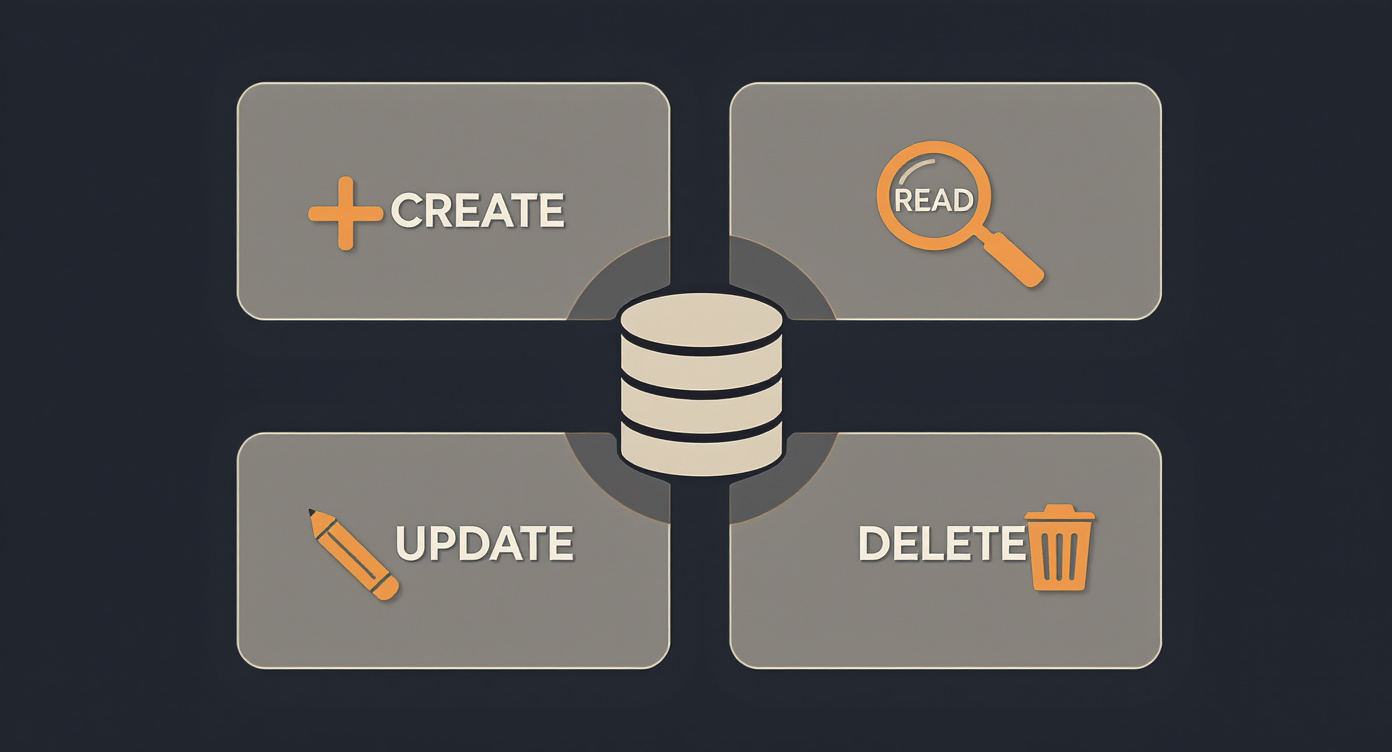
The four SQL operations we just saw correspond to a universal pattern called CRUD:
| Operation | SQL | Meaning |
|---|---|---|
| Create | INSERT | Create a new record |
| Read | SELECT | Read/query data |
| Update | UPDATE | Update a record |
| Delete | DELETE | Remove a record |
This is no coincidence — it's a law of gravity of information systems. Virtually every application in the world is, at its core, a sophisticated CRUD:
- An e-commerce system? CRUD for products, orders, customers, and payments.
- A social network? CRUD for posts, comments, profiles, and followers.
- A hospital system? CRUD for patients, medical records, appointments, and lab results.
- A RAG system? CRUD for documents, embeddings, chunks, and queries.
When the SSA specifies a system, they are, in essence, defining: which entities exist and which CRUD operations each entity supports. This is the minimum anatomy of any application.
7. NoSQL
Relational databases are powerful, but not all data fits naturally into tables with rows and columns. For those cases, there are NoSQL (Not Only SQL) databases — a family of databases that use different models.
Analogy: different filing systems for different needs.
Just as you wouldn't store photographs in a card catalog and wouldn't store index cards in a photo album, different types of data call for different forms of organization.
Document database
Stores data as documents (usually JSON). Each document can have a different structure. Ideal for data with variable or hierarchical structure.
Example: MongoDB. One user document might have 3 fields, another might have 15 — no problem.
Key-value store
The simplest model: a key (name) points to a value (anything). Ultra-fast for reads and writes. Used for caches, sessions, configurations.
Example: Redis. Think of a dictionary: you look up the word (key) and find the definition (value).
Graph database
Stores data as nodes (entities) and edges (relationships between them). Ideal for highly connected data: social networks, recommendation systems, ontologies.
Example: Neo4j. Instead of tables, you navigate networks of connections: "friends of friends who like philosophy."
Columnar database
Organizes data by column instead of by row. Ideal for analytics on massive datasets where you need to read an entire column (e.g., "all ages of all customers") without loading the rest.
Example: Cassandra, ClickHouse.
The choice between SQL and NoSQL is not about quality — it's about fit. The SSA needs to know which model matches the nature of the data they are architecting.
8. Schema
A schema is the definition of data structure — which fields exist, which types each field accepts, which are required, which relationships exist.
Analogy: the form blueprint vs. the filled-in form.
The schema is the blueprint: it says the form will have a "name" field (text, required), an "age" field (number, optional), and an "email" field (text, valid format). The data is the filled-in form.
Schema:                      Data:
┌──────────────────────┐     ┌──────────────────────────┐
│ name: string (req)   │     │ name: "Maria Silva"      │
│ age: number (opt)    │     │ age: 34                  │
│ email: string (req)  │     │ email: "maria@ex.com"    │
└──────────────────────┘     └──────────────────────────┘
Schemas exist everywhere:
- Relational databases define schemas in their tables (columns and types)
- APIs define schemas for the data they accept and return
- JSON Schema validates JSON documents
- LLMs can receive schemas to structure their output (structured output)
For the SSA, the schema is one of the most important artifacts: when you define a domain ontology, you are essentially creating a schema — a formal declaration of "how the reality of this domain will be represented as data."
9. Query
A query is a question asked of the database. You don't sift through data manually — you formulate a question and the database returns the answer.
Analogy: asking the librarian.
Instead of walking through every shelf, you tell the librarian: "I need all philosophy books published after 2020, sorted by author." The librarian (the query engine) knows exactly where to look and delivers the results.
Queries can include:
- Filters —
WHERE age > 30(only records that meet the criteria) - Sorting —
ORDER BY name ASC(sort from A to Z) - Aggregation —
COUNT(*),SUM(amount),AVG(age)(calculate over the data) - Joins —
JOIN orders ON customers.id = orders.customer_id(combine tables) - Grouping —
GROUP BY city(group results by category)
The ability to formulate good queries is the difference between a system that responds in milliseconds and one that freezes. For RAG systems, the query is the critical point: how the system searches for the most relevant documents to answer a question is determined by the query architecture.
10. ORM
ORM (Object-Relational Mapping) is a translation layer between the application code and the database.
The problem: modern code works with objects (a user object with properties name, email), but relational databases work with tables (rows and columns). The ORM automatically converts between these two worlds.
Instead of writing SQL directly:
SELECT * FROM customers WHERE id = 1;
The developer writes in their language:
customer = Customer.find(1)
And the ORM generates the SQL under the hood.
Popular ORMs: Prisma (JavaScript/TypeScript), SQLAlchemy (Python), ActiveRecord (Ruby), Hibernate (Java).
For the SSA, the ORM is relevant because it's where the domain entities you define in the architecture become models in the code. The ontology you design becomes, literally, the ORM's structure.
11. Data migration
Systems evolve. And when the system changes, the schema changes with it. A migration is a controlled, versioned change to the database structure.
Examples of migrations:
- Adding a
phonecolumn to the customers table - Renaming
nametofull_name - Creating a new
addressestable and moving data that was in the customers table - Changing a field's type from text to number
Migrations are critical because:
- Existing data must be preserved. You can't simply delete the table and recreate it — there's real data in there.
- Multiple environments must stay in sync. The development, testing, and production databases need to have the same structure.
- Changes must be reversible. If something goes wrong, you need to be able to roll back.
For the SSA, migrations are the cost of evolution. When you redesign an ontology, someone will need to migrate the data. Knowing this changes how you design: well-thought-out schemas from the start reduce the volume of future migrations.
12. Backup and replication
Persistence is not just about storing data — it's about ensuring data survives. Disks fail. Servers catch fire. Humans accidentally delete things. Protection against data loss has two fundamental strategies:
Backup
A safety copy made periodically. If the main database is corrupted, you restore from the backup. Types:
- Full — a complete copy of everything
- Incremental — only what changed since the last backup
- Differential — only what changed since the last full backup
Replication
A real-time copy of the database running on another server. If the primary server goes down, the secondary takes over instantly. There are two models:
- Synchronous — data is written to both servers at the same time (safer, slower)
- Asynchronous — data is written to the primary first and copied afterward (faster, risk of losing the last few seconds)
The golden rule of persistence: data that exists in only one place doesn't really exist. Every serious architecture accounts for redundancy.
Why the SSA needs to know this
Data and persistence are not technical details — they are the heart of any system. The SSA interacts with every concept in this level in daily practice:
-
Ontologies become schemas. When the SSA defines the entities of a domain (patient, appointment, medical record), they are designing the database schema. The quality of the ontology determines the quality of the data structure.
-
Domain entities become tables and documents. The decision between relational and NoSQL databases depends on the nature of the entities the SSA has mapped. Highly relational data? SQL. Flexible, hierarchical data? Documents. Network-connected data? Graphs.
-
Business operations become CRUD. When the SSA specifies that "the doctor can create, view, edit, and archive medical records," they are defining the CRUD operations for the medical record entity. This is the functional backbone of any application.
-
RAG systems depend on how data is stored and queried. A RAG pipeline needs stored chunks, indexed embeddings, filterable metadata, and efficient semantic queries. All of this is data architecture.
-
Formats like JSON define communication contracts. When the SSA specifies an API, they are defining the JSON schemas for data going in and out. When configuring an agent, structured prompts frequently use JSON or YAML.
The SSA who understands data designs systems that don't just work — but that store, find, and protect the right information, in the right structure, the right way.
Mini-glossary
| Term | Definition |
|---|---|
| Data | A raw unit of information: a number, text, or isolated value |
| JSON | Key-value pair data format, the standard of the modern web |
| XML | Tag-based markup format, common in legacy systems |
| CSV | Simple tabular format with comma-separated values |
| YAML | Configuration format optimized for human readability |
| Database | A system for storing, organizing, and querying data efficiently |
| SQL | Language for manipulating data in relational databases |
| CRUD | Create, Read, Update, Delete — the 4 fundamental data operations |
| NoSQL | Family of non-relational databases (document, key-value, graph, columnar) |
| Schema | Formal definition of data structure (fields, types, relationships) |
| Query | A question posed to the database to retrieve or transform data |
| ORM | Layer that translates between objects in code and tables in the database |
| Migration | A controlled, versioned change to the database structure |
| Primary key | Unique identifier for each record in a table |
| Foreign key | A field that references the primary key of another table, creating relationships |
| Backup | A safety copy of data for protection against loss |
| Replication | A real-time copy of the database on another server for high availability |