Level 4 — Client and Server
"Every digital interaction is, at its core, a conversation between two machines — one that asks, and one that answers."
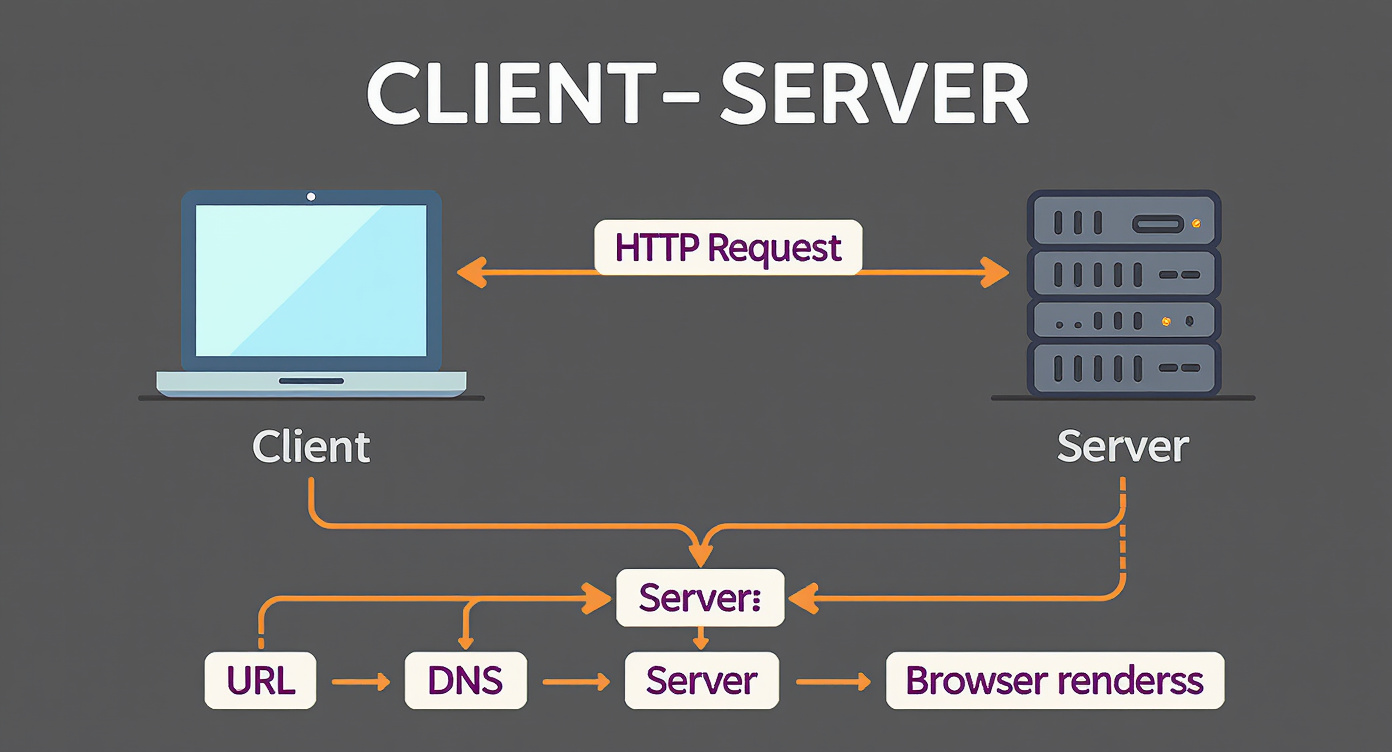
In the previous level, you understood the web: what a URL is, how HTTP works, what the browser does when you access a site. Now we are going to look at the architecture behind all of it. Because when you open any application — an AI chat, a digital bank, a social network — what happens behind the scenes is always the same fundamental dynamic: a client requests something, and a server responds.
Understanding this dynamic is understanding the backbone of every digital system. And for the semantic architect, it is understanding the terrain where your AI systems will operate.
1. The client-server model
The client-server architecture is the foundational pattern of the internet. Almost everything that happens on the web follows this model: there is a machine that requests information or action (the client) and a machine that processes and responds (the server).
The restaurant analogy makes this intuitive:
- The client is the diner sitting at the table. They look at the menu, choose what they want, and place an order with the waiter.
- The server is the kitchen. It receives the order, prepares the dish according to its recipes and rules, and delivers the result.
- The protocol (HTTP, as we saw in the previous level) is the waiter — the intermediary that carries orders and responses between the two parties.
The diner does not enter the kitchen. The kitchen does not go to the table. Each one has its role, its territory, its responsibilities. This separation of responsibilities is the heart of the model.
In practice, the "client" is usually your browser or an app on your phone. The "server" is a remote computer — often in a data center thousands of miles away — running software that knows how to respond to the requests it receives.
2. Frontend
The frontend is the client side — everything the user sees, touches, and interacts with directly. It is the visible interface of the system.
When you open a site and see buttons, text, images, forms, animations — all of that is frontend. It is the "dining room of the restaurant": the decor, the tables, the menu, the lighting. The customer never sees the kitchen, but their experience is entirely defined by what happens in the dining room.
The fundamental frontend technologies are three:
- HTML — the structure (the skeleton of the page: headings, paragraphs, buttons, links)
- CSS — the appearance (colors, fonts, spacing, layout)
- JavaScript — the behavior (interactivity, animations, logic in the browser)
These three technologies work together on every site you have ever visited.
Over time, the complexity of interfaces grew so much that frameworks emerged — sets of pre-built tools that organize frontend development. The most well-known are React (created by Facebook), Vue, and Angular (created by Google). You do not need to know how to program with them, but you will encounter these names constantly in technical documentation and conversations.
SPA vs MPA
An important distinction:
- MPA (Multi-Page Application): the traditional model. Each click on a link loads an entirely new page from the server. It is like turning pages of a book — each page is a separate document.
- SPA (Single Page Application): the modern model. The application loads once and then dynamically updates content without reloading the page. It is like a mobile app — everything feels fluid and continuous.
Most modern applications (Gmail, Twitter, Notion, ChatGPT) are SPAs. This site you are reading right now (built with Docusaurus) also works as a SPA.
3. Backend
The backend is the server side — everything that happens "behind the scenes," invisible to the user. It is the kitchen of our restaurant.
The backend is where the business logic lives: the rules that define how the system behaves. When you log in, the backend verifies your credentials. When you make a payment, the backend processes the transaction. When you ask ChatGPT for a response, the backend sends your prompt to the language model and returns the answer.
The backend is responsible for:
- Processing data — receiving information from the client, transforming it, calculating results
- Accessing databases — retrieving, creating, updating, and deleting persistent information
- Enforcing security rules — verifying who has permission to do what
- Integrating with other services — communicating with external APIs, payment services, AI providers
The most common backend languages include Node.js (JavaScript running outside the browser), Python, Java, and Go. Each has its strengths, but they all do essentially the same job: receive requests, process them, and return responses.
When someone says "server-side," they are referring to everything that happens on the backend — processing that occurs on remote machines, not on the user's device.
4. API (Application Programming Interface)
If the frontend is the dining room and the backend is the kitchen, the API is the menu: a formal contract that defines what you can order and what you will receive.
API stands for Application Programming Interface. In simple terms, it is a set of rules and specifications that defines how two systems communicate.
An API is not a piece of software in itself. It is a specification — an agreement between parties. "If you send me a request in this format, I will return a response in that format." It is a contract.
And this contract does not exist only between frontend and backend. APIs connect any system to any other system:
- The ChatGPT frontend uses the OpenAI API to send prompts and receive responses
- Your banking app uses the bank's API to check your balance
- Google Maps uses satellite, traffic, and address APIs to assemble the map
For the SSA, APIs are the primary communication channel. When you architect an AI system, you are essentially defining: which APIs will be called, with what data, in what order, and what to do with each response.
5. REST
REST — REpresentational State Transfer — is the dominant architectural style for APIs on the web. The vast majority of APIs you will encounter follow the REST pattern.
The central idea of REST is simple: everything on the web is a resource (a user, a product, a message, a document), and each resource has an address (URL). To interact with these resources, we use the HTTP methods we already know:
| HTTP Method | Action | Restaurant analogy |
|---|---|---|
| GET | Read/retrieve a resource | "Show me the menu" |
| POST | Create a new resource | "I want to place a new order" |
| PUT | Update an existing resource (replace) | "Replace my entire order with this one" |
| PATCH | Partially update a resource | "Just change the drink in my order" |
| DELETE | Remove a resource | "Cancel my order" |
URL patterns in REST
REST URLs follow predictable conventions:
GET /users— list all usersGET /users/42— return the user with ID 42POST /users— create a new userPUT /users/42— update user 42DELETE /users/42— remove user 42
Notice the pattern: the plural noun (/users) identifies the resource, and the HTTP method defines the action. This makes REST APIs predictable and readable — you can guess what a call does just by looking at it.
Stateless
A fundamental principle of REST is being stateless. This means each request is independent and complete in itself. The server does not "remember" previous requests. Each request must carry all the information needed to be processed.
It is as if every time you called the waiter, they remembered nothing you said before. You need to repeat your table number, your dietary restrictions, everything — with every order. It sounds inefficient, but this independence is what allows the web to scale to billions of users.
6. GraphQL
GraphQL is an alternative to REST, created by Facebook in 2015, that solves a specific problem: in REST, the server decides which data to return. In GraphQL, the client chooses exactly what it wants.
The analogy: imagine two types of restaurant:
- In the REST restaurant, you order "set meal number 3" and receive everything that comes with it — even if you did not want the salad and rice. If you only want the steak, too bad: you get the whole plate.
- In the GraphQL restaurant, you build your own plate: "I just want the steak, with sauce, no sides, and tell me the price." You receive exactly what you asked for — nothing more, nothing less.
In technical terms, GraphQL uses a single URL (unlike REST, which has many) and the client sends a query describing exactly which fields and relationships it wants. This is especially useful in complex applications where different screens need different combinations of the same data.
For the SSA, GraphQL is relevant because several AI services and modern platforms offer GraphQL APIs. Knowing that this alternative exists — and that it gives more control to the client — is part of the necessary vocabulary.
7. Endpoint
An endpoint is a specific address (URL) that an API makes available to receive requests. It is the "entry point" for a specific operation.
If the API is the menu, each endpoint is a menu item — something specific you can order.
Anatomy of an endpoint
https://api.example.com/v2/users/42/orders
https://api.example.com— the API's base domain/v2— the API version (allows old and new versions to coexist)/users/42— the main resource (user with ID 42)/orders— sub-resource (that user's orders)
Naming conventions
- Plural nouns:
/users,/products,/messages - Lowercase letters and hyphens:
/access-data(not/AccessData) - No verbs in the URL (the action comes from the HTTP method):
GET /usersinstead of/fetchUsers
When someone says "call the user creation endpoint," they are saying: "make a POST to /users." The endpoint is the address; the method is the action.
8. Request and Response
All client-server communication follows the request-response cycle. Let us open up this structure.
Request
When the client makes a call, it sends:
- Method — GET, POST, PUT, DELETE, etc.
- URL — the endpoint being called
- Headers — metadata about the request. They convey things like: who is making the call (authentication), what format the data is in (JSON, XML), which language is preferred. They are like the instructions written on the order slip, beyond the order itself.
- Body — the data being sent (not every request has a body; a GET usually does not)
Response
The server returns:
- Status code — a number indicating the result (success, error, redirect)
- Headers — response metadata
- Body — the returned data
JSON as the standard format
JSON (JavaScript Object Notation) is the dominant format for exchanging data between APIs. It is readable by both humans and machines:
{
  "user": {
    "id": 42,
    "name": "Ana Silva",
    "email": "ana@example.com",
    "active": true
  }
}
Virtually every modern API — including all LLM APIs — uses JSON. When you send a prompt to GPT-4 or Claude, what is actually being sent is a JSON object containing the prompt text, configuration parameters, and conversation history.
9. Payload
Payload is the technical term for the useful data carried in a request or response. The term comes from aviation and logistics: the payload of a cargo plane is the cargo itself — not the fuel, not the fuselage, not the navigation instruments.
In an HTTP request, the payload is the content of the body — the data that actually matters for the requested operation, separate from the metadata (headers).
Why this matters especially for AI systems
In the context of LLMs, this distinction is an everyday reality:
- Outbound payload (request): the prompt, the parameters (temperature, max_tokens), the message history, the system instructions. Everything you send to the model.
- Return payload (response): the completion — the text generated by the model, the tokens consumed, the stop reason.
When the SSA designs an AI system, they are essentially designing payloads: what goes inside each request, how the data is structured, which fields are required, which are optional. The quality of the outbound payload directly determines the quality of the return payload.
10. Status Codes
Status codes are the three-digit numbers the server returns with each response, indicating the result of the operation. They are organized into families:
2xx — Success
Everything worked as expected.
| Code | Meaning | When it happens |
|---|---|---|
| 200 | OK | Request succeeded, data returned |
| 201 | Created | A new resource was successfully created |
| 204 | No Content | Operation succeeded, but no data to return (e.g., after deleting something) |
3xx — Redirect
The resource has moved.
| Code | Meaning | When it happens |
|---|---|---|
| 301 | Moved Permanently | The resource has been permanently moved to another URL |
4xx — Client error
The problem is with the request that was made — something is wrong on the caller's side.
| Code | Meaning | When it happens |
|---|---|---|
| 400 | Bad Request | The request is malformed, the server could not understand it |
| 401 | Unauthorized | Authentication is missing — "who are you?" |
| 403 | Forbidden | You have been identified, but you do not have permission — "I know who you are, but you cannot enter here" |
| 404 | Not Found | The resource does not exist — the most famous of them all |
| 429 | Too Many Requests | You exceeded the call limit — rate limiting in action |
5xx — Server error
The problem is on the server — it received the request correctly, but something went wrong on its end.
| Code | Meaning | When it happens |
|---|---|---|
| 500 | Internal Server Error | Generic server error — something broke |
| 503 | Service Unavailable | Server temporarily down (maintenance, overload) |
For the SSA, code 429 deserves special attention: it is the one that appears when your AI system makes too many calls to the LLM provider's API. Designing to handle 429 is designing for reality.
11. Authentication vs Authorization
Two concepts that seem synonymous but are fundamentally different:
- Authentication answers the question: "Who are you?" — it is the process of proving your identity. Login, password, biometrics, API key.
- Authorization answers the question: "What are you allowed to do?" — it is the process of verifying which permissions that identity has.
Back to the restaurant analogy: authentication is the bouncer at the door checking whether you have a reservation. Authorization is the host deciding whether you can sit in the VIP section or only in the main dining room.
In API practice:
- When an API returns 401 (Unauthorized), it is saying: "I do not know who you are — identify yourself."
- When it returns 403 (Forbidden), it is saying: "I know who you are, but you do not have permission for this."
This topic will be explored further in Level 6 (Product Patterns), where we will cover OAuth, JWT, and other mechanisms. For now, the important thing is to internalize the distinction.
12. Webhook
A webhook is an API in reverse. Instead of the client calling the server, the server calls the client when something happens.
The perfect analogy: "Don't call us, we'll call you."
In the traditional API model, the client has to keep asking: "Did something happen? How about now? And now?" (this is called polling). It is inefficient — like calling the pizza place every two minutes asking "is my pizza ready yet?"
With a webhook, you leave your number and the pizza place calls you when the pizza is ready. The server sends an HTTP request to a URL you defined in advance, at the exact moment an event of interest occurs.
Real-world examples:
- Stripe (payments) sends a webhook when a payment is confirmed
- GitHub sends a webhook when someone makes a commit
- Slack sends a webhook when a message is posted in a channel
Webhooks are event-driven: something happens, and the system reacts. For AI systems, webhooks allow agents to react to real-world events in real time, without having to poll repeatedly.
13. WebSocket
Normal HTTP works like a walkie-talkie: one person talks, then the other responds, and the connection ends. Each new communication requires a new connection.
A WebSocket is like a phone call: once the call is established, both sides can speak at any time, without having to dial again. It is a persistent, bidirectional connection.
While HTTP follows the request-response cycle (the client always initiates), WebSocket allows both the client and the server to send data at any time, in real time.
Where you have already seen WebSocket in action (even without knowing it):
- Real-time chat — messages appear instantly, without reloading the page
- Live feeds — stock updates, game scores, notifications
- Collaborative editors — Google Docs, Figma, where multiple people edit at the same time
- LLM response streaming — when ChatGPT generates text word by word, it is WebSocket (or SSE, a close relative) that enables this incremental delivery
The practical difference:
| Feature | HTTP | WebSocket |
|---|---|---|
| Connection | Opens and closes with each request | Stays open |
| Direction | Client initiates, server responds | Both send at any time |
| Typical use | Queries, CRUD, APIs | Chat, streaming, real-time |
| Overhead | Higher (new connection each time) | Lower after connection is established |
14. SDK (Software Development Kit)
An SDK — Software Development Kit — is a kit of pre-built tools that makes it easier to interact with a service or platform.
If the API is the menu, the SDK is the delivery service that comes with the app already installed, the account set up, and the payment methods configured. You do not need to build the HTTP request manually — the SDK does it for you.
In practice: instead of manually building each HTTP request to the OpenAI API (assembling headers, formatting the JSON, handling errors), you use the official OpenAI SDK in Python:
# With SDK (simplified)
response = client.chat.completions.create(model="gpt-4", messages=[...])

# Without SDK (manual — much more code)
# Build URL, headers, JSON body, make HTTP request, handle response...
SDKs exist for nearly every relevant service: OpenAI, Anthropic, Google Cloud, AWS, Stripe, Firebase. They are wrappers around the API, written in specific languages (Python, JavaScript, Java, etc.), that abstract away the complexity of HTTP calls.
For the SSA, knowing that SDKs exist is crucial: when you specify that a system should use the Anthropic API, the developer will implement it using the SDK — and understanding this layer helps you communicate requirements with precision.
15. Rate Limiting and Throttling
Every server has limits. If an API received infinite requests without restriction, the server would crash — and with it, the service for all users. Rate limiting is the mechanism that protects against this.
The analogy: rate limiting is the bouncer at the nightclub door. Even if a thousand people want to get in, they control the flow — so many people per minute, maximum venue capacity, priority for those with a VIP invitation.
In practice:
- Rate limiting sets a ceiling: "you can make at most 60 requests per minute"
- Throttling gradually slows things down: instead of blocking, the server starts responding more slowly as volume increases
When you exceed the limit, you receive a status code 429 (Too Many Requests). The response usually includes a Retry-After header indicating how many seconds to wait before trying again.
Why this is critical for AI systems
Every LLM API has strict rate limits:
- Limits on requests per minute (RPM)
- Limits on tokens per minute (TPM)
- Limits on tokens per day (TPD)
- Costs that scale with usage
When the SSA designs a system that makes multiple calls to a language model — for example, an agent that searches, analyzes, and responds — they need to consider: how many simultaneous calls are allowed? What happens when the limit is reached? How does the system recover from a 429? Should there be a queue? Automatic retry with exponential backoff?
Ignoring rate limiting when designing is like designing a highway without considering traffic. The system might work perfectly in testing and collapse in production.
Why the SSA needs to know this
Every AI system the SSA architects lives inside the client-server model. There are no exceptions. When an AI agent operates, it is a client calling APIs of LLM providers, databases, and external tools. Each call is a request with a structured payload, sent to a specific endpoint, and each return is a response with a status code and a payload back.
The SSA defines:
- What the agent sends — the request. Which prompt, which parameters, which context. This is payload architecture.
- What the agent expects to receive — the response. Which format, which fields, which guarantees. This is contract architecture.
- How errors are handled — status codes. What to do with a 429 (rate limit), a 500 (internal error), a 401 (expired key). This is resilience architecture.
- How systems connect — REST, GraphQL, webhooks, WebSockets. Each communication pattern has implications for agent design.
Rate limiting directly impacts design: if an agent needs to make 20 sequential calls to the LLM to solve a task, and the rate limit is 10 per minute, the SSA needs to design queues, retries, and fallback strategies. Tokens per minute, cost per call, context limits — all of this is architectural constraint that originates here, at the client-server level.
The SSA does not program the calls. But they define the communication map — who calls whom, with what data, in what order, with what limits, with what alternatives. That map is the architecture. And that architecture starts here.
Mini-glossary
| Term | Definition |
|---|---|
| API | Contract that defines how two systems communicate |
| Backend | Server side — business logic, data, security |
| Body | Body of a request or response, contains the data |
| Endpoint | Specific URL that an API exposes to receive requests |
| Frontend | Client side — the visible interface for the user |
| GraphQL | API style where the client chooses exactly which data it wants |
| Header | Metadata sent along with a request or response |
| JSON | Standard data exchange format between APIs |
| MPA | Multi-Page Application — traditional model, each action loads a new page |
| Payload | Useful data carried in a request or response |
| Rate Limiting | Mechanism that limits the number of requests allowed per time period |
| REST | Dominant architectural style for web APIs, based on resources and HTTP methods |
| Request | The message sent by the client to the server |
| Response | The message returned by the server to the client |
| SDK | Pre-built toolkit for interacting with a service |
| SPA | Single Page Application — modern model, interface updates without reloading |
| Stateless | Principle where each request is independent and complete in itself |
| Status Code | Three-digit numeric code indicating the result of a request |
| Throttling | Gradual slowdown of responses as request volume increases |
| Webhook | Reverse HTTP call — the server notifies the client when an event occurs |
| WebSocket | Persistent, bidirectional connection for real-time communication |