Level 5 — Infrastructure
"Infrastructure is like oxygen: you only notice it exists when it's missing." — Werner Vogels, CTO of Amazon Web Services
Everything we've discussed so far — data, algorithms, APIs, databases — needs a place to exist. That place is infrastructure. It is the most invisible layer of computing and, for that very reason, the most underestimated. When you visit a website, chat with a chatbot, or ask an AI agent to perform a task, there is an enormous chain of machines, cables, cooling systems, and orchestration software working silently to make it all happen in milliseconds.
This level is about understanding that invisible foundation.
1. Server
A server is nothing magical. It is a computer — with a processor, memory, disk, and a network card — that has one single function: to serve. Serve web pages, serve data from an API, serve responses from an AI model.
The difference between the computer on your desk and a server is one of purpose, not essence. Your laptop was made for you to use directly. A server was made to stay on 24 hours a day, 7 days a week, handling requests from other computers over the network.
Analogy: a restaurant kitchen. Your kitchen at home serves a family. A restaurant kitchen serves hundreds of customers simultaneously. It needs more stoves, more space, more organization, more redundancy (if one stove breaks, there are others). A server is the restaurant kitchen of computing.
Servers can be physical (a real machine, made of metal and silicon, mounted in a rack) or virtual (software that simulates a complete computer inside a physical computer). A single physical machine can run dozens of virtual servers — each with its own operating system, as if they were independent computers.
2. Data Center
If servers are the kitchens, the data center is the industrial restaurant complex. It is a building (or set of buildings) designed exclusively to house thousands of servers.
A modern data center involves:
- Power — consumption equivalent to small cities, with backup generators.
- Cooling — servers generate extreme heat; sophisticated cooling systems (some use seawater or arctic air) keep temperatures stable.
- Redundancy — everything is duplicated. If one component fails, another takes over instantly.
- Physical security — biometric access control, cameras, armed guards. The data of billions of people lives there.
Companies like Google, Amazon, and Microsoft have data centers spread across the entire world, each with hundreds of thousands of servers.
3. Cloud Computing
Cloud computing is one of the most important revolutions in modern technology. And the core concept is surprisingly simple:
"The cloud" is other people's computers.
Before the cloud, if you wanted to put a system online, you needed to buy servers, install them in a rack, configure networking, hire internet bandwidth, and maintain a team to replace burned-out parts at 3 in the morning. This is the on-premise model (on your own premises).
With the cloud, you rent computational capacity from companies that have already built massive data centers. You pay for what you use, scale up when you need to, scale down when you don't.
Analogy: owning a house vs. renting an apartment. Buying a house means taking responsibility for maintenance, plumbing, the roof, security — everything is on you. Renting an apartment transfers those concerns to the landlord. You pay monthly and use it. Cloud computing is renting infrastructure.
The three major cloud providers are:
- AWS (Amazon Web Services) — the pioneer and market leader.
- GCP (Google Cloud Platform) — strong in data and machine learning.
- Azure (Microsoft) — dominant in enterprise environments.
The cloud offers different layers of service — IaaS, PaaS, and SaaS — which we'll explore in depth in Level 6. For now, know that they represent different degrees of abstraction: from renting a raw virtual machine to using a ready-made software product over the internet.
4. IP Address
Every device connected to a network needs an address. Just as a letter needs a ZIP code to reach its destination, a computer needs an IP address (Internet Protocol) to be found on the network.
- IPv4 — the classic format: four numbers from 0 to 255 separated by dots (e.g.,
192.168.1.1). It allows roughly 4.3 billion addresses. It seemed infinite in the 1980s. It has already been exhausted. - IPv6 — the new format: much longer hexadecimal sequences (e.g.,
2001:0db8:85a3::8a2e:0370:7334). It allows an absurdly large number of addresses — more than grains of sand on Earth.
IP addresses can be public (visible on the internet, like your building's street address) or private (visible only within a local network, like your apartment number).
5. DNS (Domain Name System)
You don't type 142.250.218.4 to access Google. You type google.com. The system that translates the human-readable name into a numeric IP address is DNS — the Domain Name System.
Analogy: the phone book for the entire world. When you type a domain into your browser, your computer queries DNS servers that function like a globally distributed phone book. "What is the number (IP) of google.com?" DNS answers: 142.250.218.4.
How resolution works
- You type
ssa.brotto.ioin your browser. - Your computer asks a DNS resolver (usually from your internet service provider).
- The resolver queries a root server (there are 13 clusters in the world), which points to the server responsible for
.io. - The
.ioserver points to the authoritative server forbrotto.io. - That server responds with the IP associated with
ssa.brotto.io. - Your browser finally connects to that IP.
All of this happens in milliseconds.
Record types
- A Record — maps a domain to an IPv4 address. The most common.
- CNAME — an alias. It says that
www.brotto.iois actually the same asbrotto.io. A pointer to another domain. - MX — indicates which server handles email for that domain.
- TXT — text records used for verification and security.
Propagation
When you change a DNS record, the change is not instantaneous. DNS servers around the world maintain cached copies. Propagation is the time it takes for all servers to update their copies — it can take from minutes to 48 hours. It's like updating a phone number in every phone book on the planet simultaneously.
6. SSL/TLS and HTTPS
When you see a padlock in your browser and the address starts with https://, it means the communication between your computer and the server is encrypted.
SSL (Secure Sockets Layer) and its successor TLS (Transport Layer Security) are protocols that create a "secure tunnel" between two endpoints. Even if someone intercepts the data in transit, they will see only an unreadable sequence of characters.
How it works (simplified)
- Your browser connects to the server and requests a secure connection.
- The server presents a digital certificate — like an identity document issued by a trusted authority (called a Certificate Authority, or CA).
- Your browser verifies whether the certificate is legitimate.
- If it is, both sides negotiate a temporary encryption key.
- All communication is then encrypted with that key.
Why it matters: without HTTPS, anyone on the same Wi-Fi network could read your passwords, banking data, and messages. It is the difference between sending a postcard (any mail carrier can read it) and sending a sealed letter inside a locked safe.
7. Containers and Docker
One of the most persistent problems in the history of computing is "it works on my machine." A developer creates software on their computer, everything works perfectly. When it's transferred to the server, it breaks. Why? Because the server has a different version of a library, a different operating system, a different configuration.
Containers solve this. A container packages the application together with all of its dependencies — libraries, configurations, system version — into an isolated, portable unit.
Analogy: shipping containers in maritime transport. Before standardized containers, every cargo was transported differently — boxes of varying sizes, chaotic stacking, frequent losses. The standardized shipping container revolutionized global trade: no matter what's inside, the container has the same shape and works on any ship, truck, or train. Docker did the same thing for software.
Essential concepts
- Image — the "mold." A recipe that describes everything the container needs. It is static, like an architectural blueprint.
- Container — an instance running from an image. It is the house built from the blueprint. You can create multiple containers from the same image.
- Dockerfile — the text file that defines how to build the image. Line by line, it declares: which base operating system to use, which packages to install, which files to copy, which command to run.
Docker became the industry standard. Virtually every modern application runs in containers.
8. Kubernetes (K8s)
If Docker is the container, Kubernetes is the entire port.
When you have not one but hundreds or thousands of containers running simultaneously, you need someone to orchestrate: which container runs on which server? If a container dies, who creates another? If demand increases, who scales up?
Analogy: the port manager. Ships arrive with containers. The manager decides where each container goes, redistributes when there's overload, replaces damaged containers, and ensures operations never stop.
Kubernetes (often abbreviated as K8s — K, 8 letters, s) was created by Google and is the standard for container orchestration at scale. It is complex, but the fundamental concept is simple: automated management of containers distributed across multiple machines.
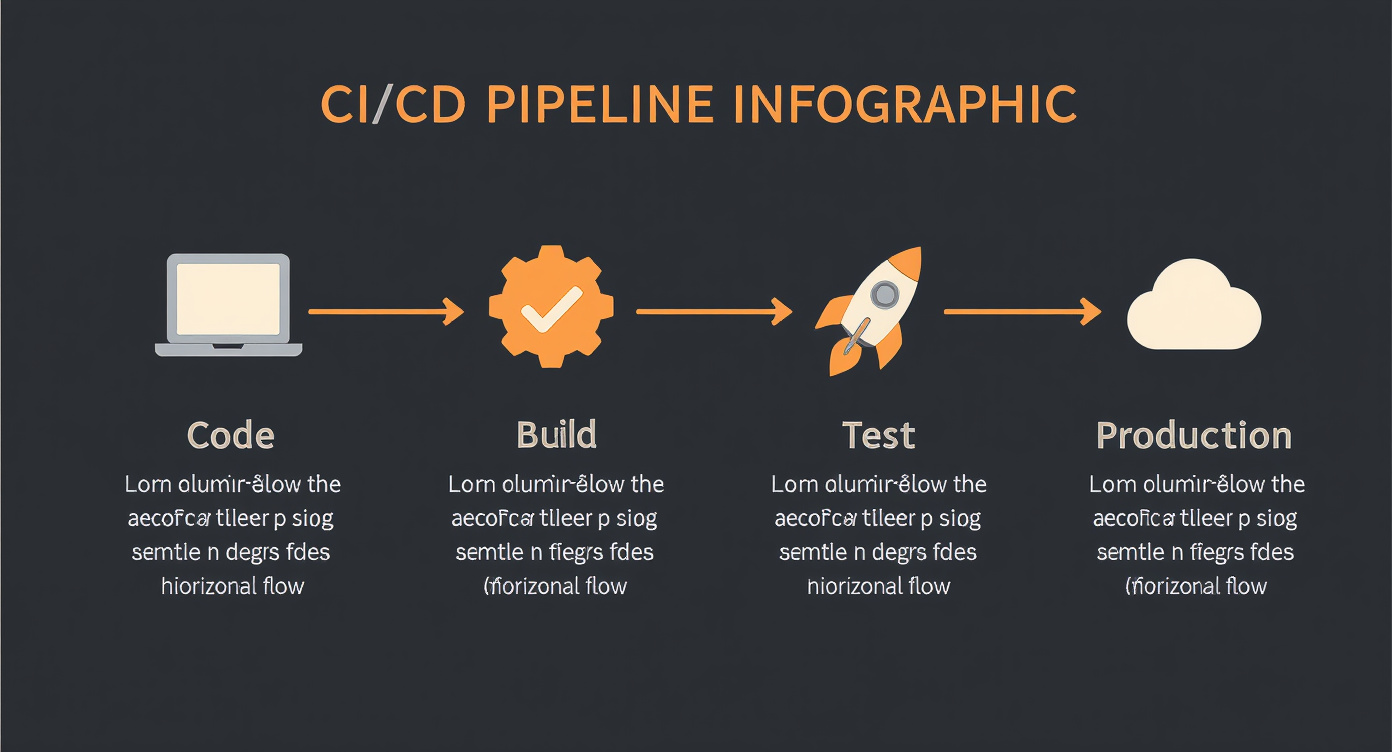
9. CI/CD (Continuous Integration / Continuous Deployment)
How does code get from a developer's computer to the server where users access it? In the past, it was a manual, tense, error-prone process. Today, it is automated by CI/CD pipelines.
Analogy: an assembly line with quality inspection at every stage.
Continuous Integration (CI)
Every time a developer pushes new code to the repository, a series of automated checks runs:
- Build — the code is compiled/built. Does it work?
- Tests — automated tests verify that nothing broke. Any regressions?
- Analysis — tools check code quality, security, and style.
If any step fails, the code is rejected before it gets anywhere near production.
Continuous Deployment (CD)
If the code passes all checks, it is automatically deployed to the production environment. No human intervention. No "Friday night manual deploys."
Popular tools: GitHub Actions, GitLab CI, Jenkins, CircleCI.
10. Deploy
Deploy is the act of putting new code into production — where real users access it. It is the riskiest moment in the development cycle. A botched deploy can take down an entire system.
Deploy strategies
- Blue-Green — two identical environments (blue and green). Blue is live. The deploy goes to green. Green is tested. If it looks good, traffic is switched from blue to green instantly. If something goes wrong, you switch back to blue.
- Canary — the new code is released to a small percentage of users (1%, 5%, 10%). You monitor. If everything works, you gradually increase to 100%. The name comes from the canaries used in coal mines to detect toxic gas — if the canary died, the miners knew it was dangerous.
- Rolling — servers are updated one by one, gradually. At any given moment, some servers run the old version and others run the new one.
Rollback
When a deploy causes problems, a rollback is the act of reverting to the previous version. Every serious deploy strategy needs a clear and fast rollback plan.
11. CDN (Content Delivery Network)
If your server is in New York and a user accesses your site from Tokyo, the data needs to travel halfway around the world. That takes time — and time is latency.
A CDN solves this by distributing copies of your content across servers spread around the planet, called edge servers.
Analogy: franchises vs. a single store. Imagine a famous bakery that only has one location in downtown Manhattan. Customers from other boroughs fight traffic to get there. Now imagine it opens franchises in every neighborhood. The bread is the same, but each customer goes to the nearest location. A CDN does exactly that with data.
When someone in Tokyo accesses your site, the CDN serves the content from a server in Japan, not from the United States. Popular providers: Cloudflare, Akamai, AWS CloudFront, Fastly.
12. Load Balancer
A single server has limited capacity. If thousands of requests arrive simultaneously, it overloads and crashes. A load balancer distributes requests across multiple servers.
Analogy: the receptionist at a clinic. When patients arrive, the receptionist doesn't send everyone to the same doctor. She distributes: "Dr. Smith is free, go to room 3. Dr. Jones has two patients, go to Dr. Wilson."
Common strategies
- Round Robin — distributes requests in a circular rotation. Server 1, then 2, then 3, back to 1.
- Least Connections — sends to the server with the fewest active connections at the moment.
- IP Hash — uses the user's IP to always route them to the same server (useful when there is session/state).
Load balancers can be dedicated hardware or software (like NGINX, HAProxy, or cloud-native balancers).
13. Firewall
A firewall is the security guard at the building's entrance. It examines every data packet trying to enter or leave the network and decides: pass or block.
The rules are defined by the administrator:
- Allow traffic on port 443 (HTTPS).
- Block traffic on port 22 (SSH) from unknown IPs.
- Allow only IPs from a specific country.
Firewalls can be network firewalls (protecting an entire network) or application firewalls (WAF — Web Application Firewall, which understands the content of HTTP requests and blocks attacks like SQL injection and cross-site scripting).
It is the first line of defense for any system.
14. Log
A log is the system's diary. Every relevant event is recorded: who accessed it, when, what they requested, how long it took, whether there was an error.
2024-03-15 14:32:07 INFO  [api] GET /users/42 → 200 (23ms)
2024-03-15 14:32:08 ERROR [api] POST /payments → 500 (timeout after 30s)
Why logging matters
- Debugging — when something breaks, logs are the first source of investigation.
- Auditing — who did what and when. Essential for security and compliance.
- Performance — identifying bottlenecks and slowdowns.
Structured logs
Modern logs are structured — instead of free text, they are objects with defined fields (timestamp, level, service, message, context). This makes it possible to filter, search, and analyze them automatically.
The broader concept is observability — the ability to understand the internal state of a system from its external outputs. Logs are one of the three pillars of observability, alongside metrics and traces (request tracing across services).
15. Monitoring and Alerts
There is no point in having logs if nobody reads them. Monitoring is the practice of continuously observing the system's health through real-time metrics.
Essential metrics
- Uptime — the percentage of time the system is available. The industry standard is "five nines": 99.999% (less than 5 minutes of downtime per year).
- Latency — response time. An endpoint that takes 200ms is fast; 5 seconds is unacceptable.
- Error rate — the percentage of requests that result in an error. Should be close to zero.
- Throughput — how many requests the system can process per second.
- Saturation — how much of the total capacity is being used (CPU, memory, disk).
Dashboards and alerts
Tools like Grafana, Datadog, and New Relic display these metrics on visual dashboards — real-time graphs that show the system's pulse.
Alerts are configured to notify the team when something is off: "latency above 1 second for more than 5 minutes" or "error rate above 2%." Tools like PagerDuty and OpsGenie ensure the alert reaches the right person — by SMS, phone call, or push notification — even at 3 in the morning.
16. Serverless
The name is misleading. Serverless does not mean "no server." It means you don't have to manage the server. It exists, but it is completely abstracted away by the cloud provider.
In the serverless model, you write functions — small blocks of code that execute on demand. When a request arrives, the platform spins up an instance of the function, runs it, returns the result, and destroys the instance. You pay only for the execution time (milliseconds).
When to use it
- Short-lived, one-off tasks (processing an image, responding to an API request).
- Unpredictable workloads (zero requests for hours, then a sudden spike).
- Rapid prototyping.
When not to use it
- Long-running processes (training AI models, for example).
- When you need fine-grained control over the execution environment.
- When the "cold start" (the time to spin up an instance) is unacceptable.
Popular platforms: AWS Lambda, Cloudflare Workers, Google Cloud Functions, Vercel Functions.
Why the SSA needs to know this
AI systems don't float in the ether. They run on infrastructure. Every agent, every model, every context engineering pipeline exists somewhere physical — in containers inside servers inside data centers. The SSA who ignores infrastructure designs systems that exist only on paper.
Concretely, the SSA needs to understand:
- Deploy — where do the agents run? In a container? In a serverless function? On a dedicated server? Each choice has implications for latency, cost, and reliability.
- Scale — how many simultaneous users does the system need to support? Scaling from 10 to 10,000 users is not just "adding more machines" — it means rethinking architecture, load balancing, caching, and costs.
- Cost — cloud computing charges by usage. An agent that makes excessive API calls, keeps connections open unnecessarily, or is not optimized for efficiency can generate unexpected bills. Context engineering includes optimizing for cost.
- Latency — response time matters. If an agent takes 10 seconds to respond because the infrastructure is inadequate, the user experience is compromised regardless of the quality of the semantic architecture.
- Reliability — what happens when infrastructure fails? And it will fail. The SSA needs to design resilient systems: with fallbacks, retries, circuit breakers, and graceful degradation.
Context engineering includes understanding the constraints of infrastructure. The context you design for an agent is processed on a real machine, with real limits on memory, CPU, and network. Ignoring this is like an architect who designs a building without consulting the foundation engineer.
Mini-glossary
| Term | Definition |
|---|---|
| Server | A computer dedicated to serving requests from other computers over the network |
| Data center | A physical facility housing thousands of servers with power, cooling, and security |
| Cloud computing | A model for renting computational resources on demand via the internet |
| IP Address | A unique numeric address identifying a device on a network |
| DNS | A system that translates human-readable domain names into numeric IP addresses |
| SSL/TLS | Encryption protocols that protect data in transit on the internet |
| HTTPS | HTTP with SSL/TLS encryption — the secure standard of the web |
| Container | An isolated unit that packages an application with all of its dependencies |
| Docker | The standard platform for creating and running containers |
| Kubernetes | An orchestration system that manages containers at scale |
| CI/CD | Automation of the code integration, testing, and deployment process |
| Deploy | The act of putting new code into a production environment |
| CDN | A network of globally distributed servers for fast content delivery |
| Load balancer | A system that distributes requests across multiple servers |
| Firewall | A security system that filters network traffic based on rules |
| Log | A chronological record of a system's events and operations |
| Monitoring | Continuous observation of a system's health and performance metrics |
| Serverless | An execution model where the provider manages all server infrastructure |
| Rollback | Reverting to a previous version of code after a problematic deploy |
| Edge server | A CDN server geographically close to the user |
| Cold start | The startup time for a serverless function when there is no active instance |
| Observability | The ability to understand a system's internal state from its external outputs |